AI Saree Photoshoot Generator
ApparelAI is a dedicated AI saree photoshoot generator that transforms separate body, pallu, and blouse fabric photos into complete on-model catalog imagery. Because a saree is not one surface, each part goes in as its own upload, so the pallu falling over the shoulder is the pallu you photographed and the blouse renders in the fabric you actually ship.
- Uploads: body, pallu, blouse
- 3
- Myntra-ready export
- 1080x1440
- Product shots from one upload
- 8+
Uploads: body, pallu, blouse
Myntra-ready export
Product shots from one upload

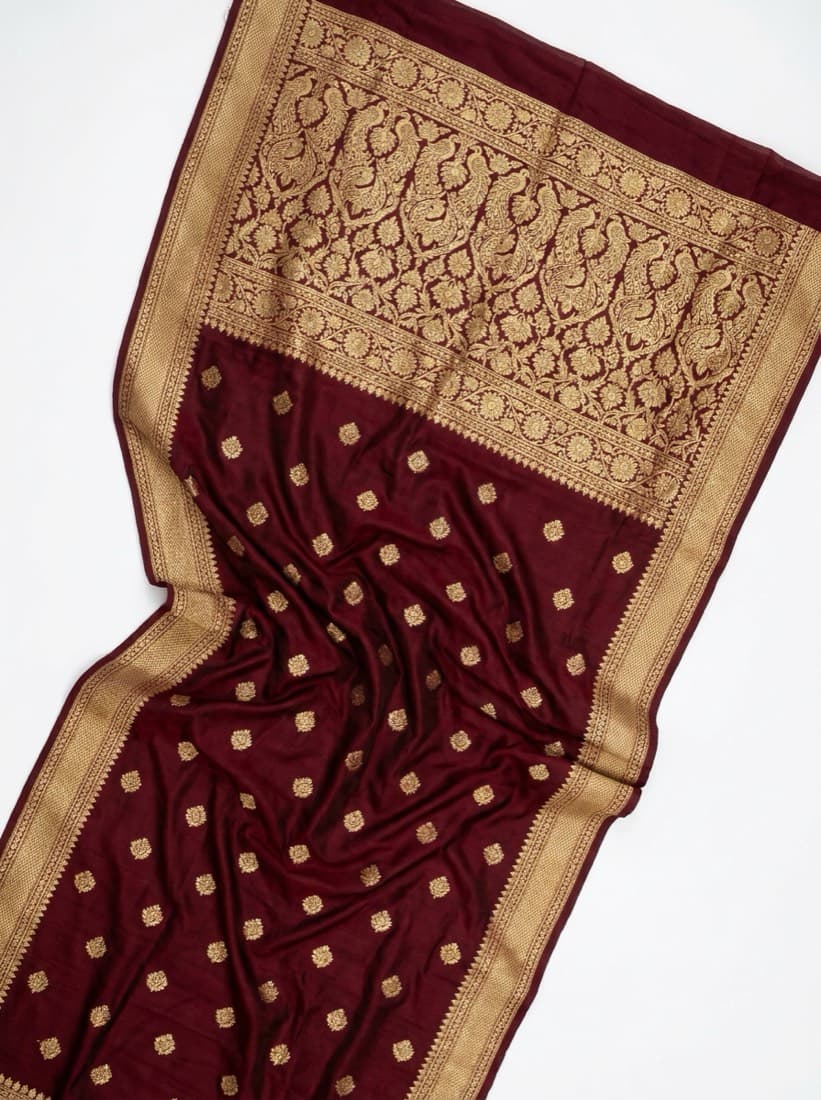
A saree is not one surface
Every other garment is one continuous piece of cloth. A saree is five and a half to nine yards carrying three visually distinct zones, and a buyer inspects each one separately. Give the model a single folded flat lay and it has to invent the two it cannot see.
Body
RequiredThe main run of fabric. Sets the ground colour, the weave and the print.
Pallu
The decorative end over the shoulder. Usually the densest, most ornate part, and the first thing a buyer looks at.
Blouse
Attached as an unstitched length. Frequently a contrast colour, and a separate visible garment in the final drape.
How it works
Three steps from the garment you have to the listing photo you need.
Upload the saree, part by part
Saree body is required. Add the pallu and blouse as separate photos, plus a border close-up on heavy woven pieces, so the AI has a real reference for each part instead of inferring it.

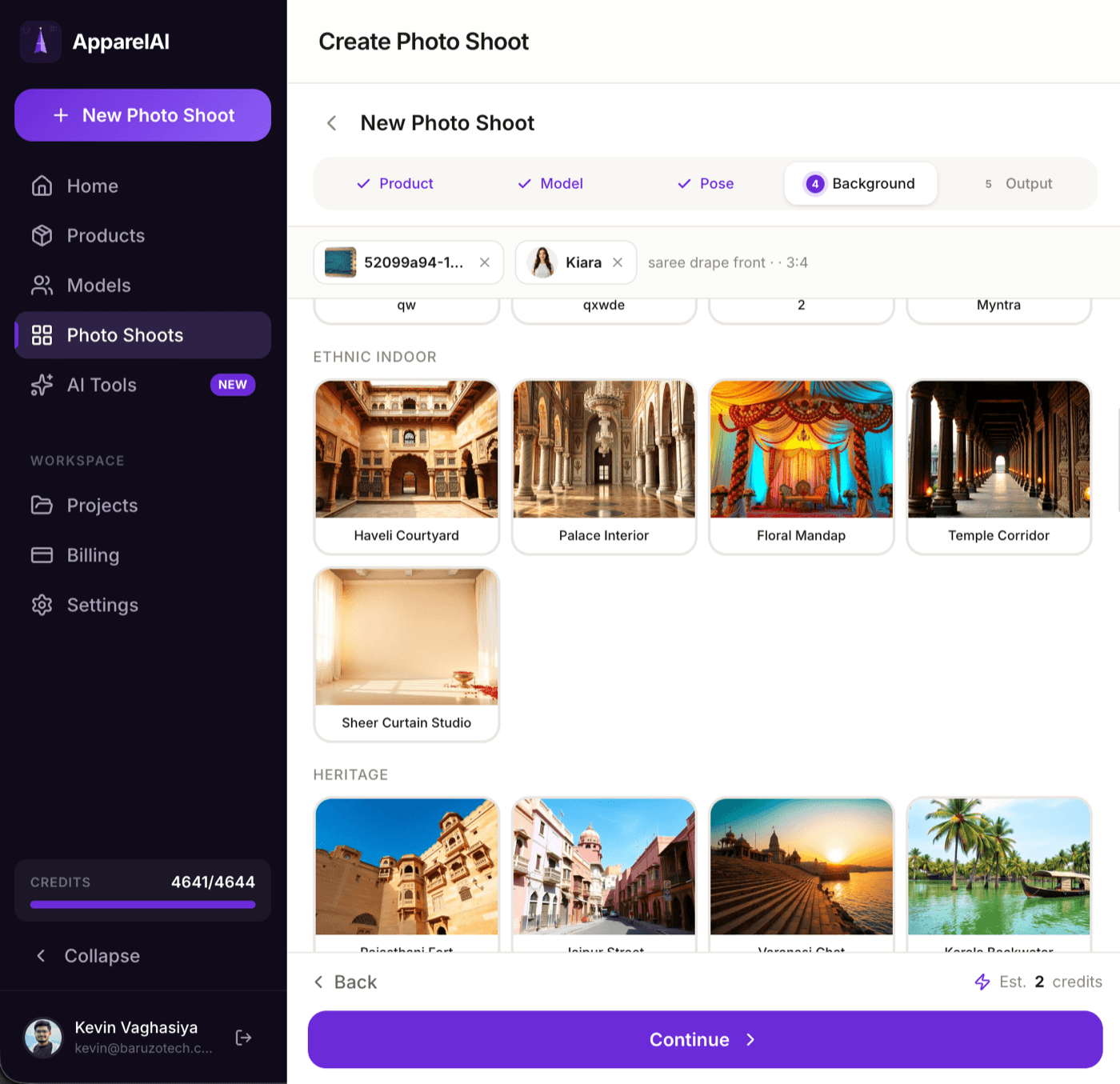
Pick model, pose and background
Choose a model from the gallery or your own custom AI model, then a saree pose and drape, then the scene. Backgrounds are grouped by intent - ethnic indoor, heritage, studio - so a Banarasi can land in a haveli courtyard and a cotton saree on a plain backdrop.
Export for your marketplace
Download everything at original quality, pick individual generations, or send it straight out as a Myntra listing image at 1080x1440 under 1MB. No resizing pass in between.

Beyond the hero shot
The same uploads produce the supporting images a listing needs.
Border Detail
Close-up of the border embroidery
Pallu Flat Lay
Pallu spread flat, full design visible
Folded Saree Display
Folded so the decorative edge shows
Blouse Flat Lay
Blouse alone on white
Blouse Front & Back
Both views on an invisible mannequin
Color Variant
The same shot in a new colourway

What you get
- Saree Element Uploads: body, pallu and blouse as separate inputs
- Advanced Saree Engine that locks border, pallu and blouse detail into every render
- Saree drape style selection
- Saree accessories: jewellery and hairstyle options
- Product shots from the same upload: Border Detail, Pallu Flat Lay, Folded Saree Display
- Blouse Flat Lay and Blouse Front & Back on an invisible mannequin
- Color Variant to re-shoot the same saree in a new colorway
Frequently asked questions
How do I preserve the saree border embroidery?
Photograph the saree flat with at least one full run of the border visible, and add a border close-up as a separate upload. The Advanced Saree Engine studies those fabric details and holds them consistent across the render, which is what keeps the border continuous instead of drifting mid-run. For a dedicated product image of the border alone, use the Border Detail product shot.
Can I shoot back-side views?
Yes. Attach a back photo to the product and back-view poses render the garment's real back design rather than an invented one. For the blouse specifically, Blouse Front & Back puts both views on an invisible mannequin in a single image.
Why upload the pallu and blouse separately?
A folded saree flat lay usually shows the body and some border, while the pallu is partly hidden and the blouse piece reads as more body fabric. Given only that, the model fills the gaps with something plausible, which is how you end up with an invented pallu or a blouse in the wrong colour. Separate uploads replace guessing with reference.
Which drape styles are supported?
You choose the drape as part of the shoot setup. Pick based on what you most want the buyer to see, since the drape decides which part of the saree is visible in the final frame.
Do I still need real photography?
For most listings, no. On premium handwoven pieces where a buyer will zoom to full resolution to judge zari quality, real macro photography of the actual cloth is still worth shooting alongside the AI on-model hero.
What size images do Indian marketplaces need?
Myntra expects 1080x1440 for listings, which Myntra-Ready Export produces in one click. You can also export in Standard 1K, HD 2K or Ultra 4K, and in square, portrait or story aspect ratios for social.
Further reading
Saree Draping Styles for AI Photoshoots
Nivi, Bengali, Gujarati and seedha pallu drapes change which part of a saree the buyer sees. How to pick the drape that sells the piece you are listing.
Garment GuideSaree Border and Pallu Flat Lays
The detail shots that close the sale: border close-ups, pallu flat lays and folded displays. What buyers zoom into, and how to shoot them without a model.
GuidePhone Photos of Clothes That AI Can Actually Use
Your phone is good enough. The input rules that decide whether an AI photoshoot comes back accurate: flattening, lighting, angle, white balance and framing.
Shoot your next saree today
Upload one garment photo and see the result before you decide anything. Free trial, no credit card.
Start freeTools that pair with this
AI Ghost Mannequin
Invisible-mannequin product shots from any hanger or on-model garment photo. Front, back and side views from one upload.
AI Color Variation
Render the same garment in up to 6 colors in one shot. Build complete color stories without re-shooting.
AI Background Changer
Swap the backdrop for any scene. Describe it in words or upload a reference photo - both modes work.
Other solutions
Ghost Mannequin
Hollow-mannequin product shots from a hanger or on-model photo, front, back and side.
Indian Ethnic Wear
Salwar suits, kurtis and dupattas, with each piece uploaded separately and styled into one shoot.
Photo to Fashion Video
Any photoshoot image becomes a short fashion video, with motion presets or your own direction.